Advertise to 12,000 users daily

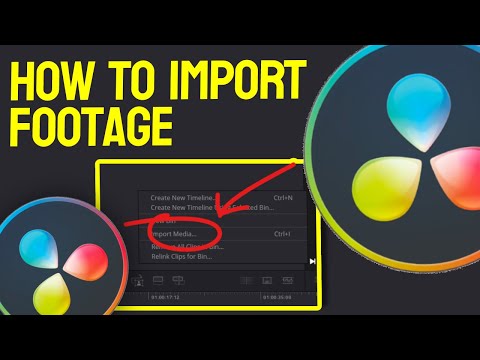
How to IMPORT footage in Davinci Resolve 18 - Tutorial for Complete Beginners

Views
Likes
Dislikes
Comments
Spotlight
Add MeYouTube Dislikes are provided by ReturnYoutubeDislike.com.
About How to IMPORT footage in Davinci Resolve 18 - Tutorial for Complete Beginners
In this tutorial, we will show you how to import footage into DaVinci Resolve 18. Whether you're working on a new project or adding more media to an existing project, importing footage is an essential step in the editing process. Thanks for watching this video, YOU ARE THE BEST 💗! #davinciresolve #tutorialdavinciresolve #davinciresolve17
Embed How to IMPORT footage in Davinci Resolve 18 - Tutorial for Complete Beginners's Count on Your Website!
Have you ever wanted to put ANY Social Counter on your own website? We've made it possible with Embed feature!
Simply copy and paste below's code wherever you want to place it on your site!
Or... Do you want to embed our counts in streaming software (such as OBS)? Don't worry, we are supporting that as well!
Simply make new Browser Source and below's string into URL field!
About YouTube Live View Counter
YouTube Live View Counter is the best way to check your Favorite Creator's Statistics updated in real-time! Data seen on Most Social Medias might be inacurate or delayed, that's why Livecounts.io came with idea for YouTube Live View Counter!
Everything is directly taken from official API Service provided by Social Networks. Every single count is updated every 2 seconds and is as accurate as possible.
To search for specific channel simply click "Change User" button below Follower Count Box, type your favorite creator's username and you're good to go! This IS NOT case-sensitive thus you type for example "MrBeast" or "MrBeAsT" and it should still work!
If you're interested in watching Follower Count battle then navigate to Compare Page below Follower Count Box or on Navigation Bar.
Thanks for using YouTube Live View Counter! If you have any idea to improve the website then feel free to get in touch with us it on our Twitter page.
Track Any Social Media Platform
We've got a wide range of social networks to choose from and track for.




Compare Users of Any Social Media Platform
Have you ever wanted to compare creators across different Social Media Platforms? With Livecounts.io we've made it possible.
From the Blog
Tips, guides, and insights for social media growth